Photo Tip #28 | Audiophile’s regress

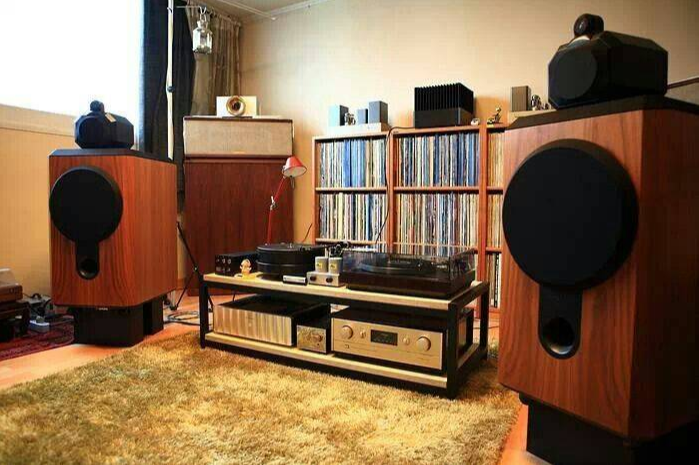
If you were to travel back in time to the 1970’s or 1980’s, seek out hardcore videophiles, and compare our typical video technologies, they’d hang their heads in shame. Our phones have several times the resolution of their big-screen TVs. But if you were to seek out hardcore audiophiles and compare our typical audio technologies,… Continue reading Photo Tip #28 | Audiophile’s regress


An insomnia-inspired tribute to OneNote and the Hallmark Channel.

https://twitter.com/heyrob/status/1166571175746658304

Photo Tip #59 | Move cursor with phone space bar

My favorite Photo Tips are the ones that I’ve never heard of (even when everyone else knows it). I have a tough time placing my phone cursor exactly where I want. It’s so frustrating that I typically long-press a word and simply retype it. But many phone keyboards (including Gboard, SwiftKey, Samsung Keyboard, iPhone, etc.)… Continue reading Photo Tip #59 | Move cursor with phone space bar
Photo Tip #58 | Dock and undock OneNote with one click

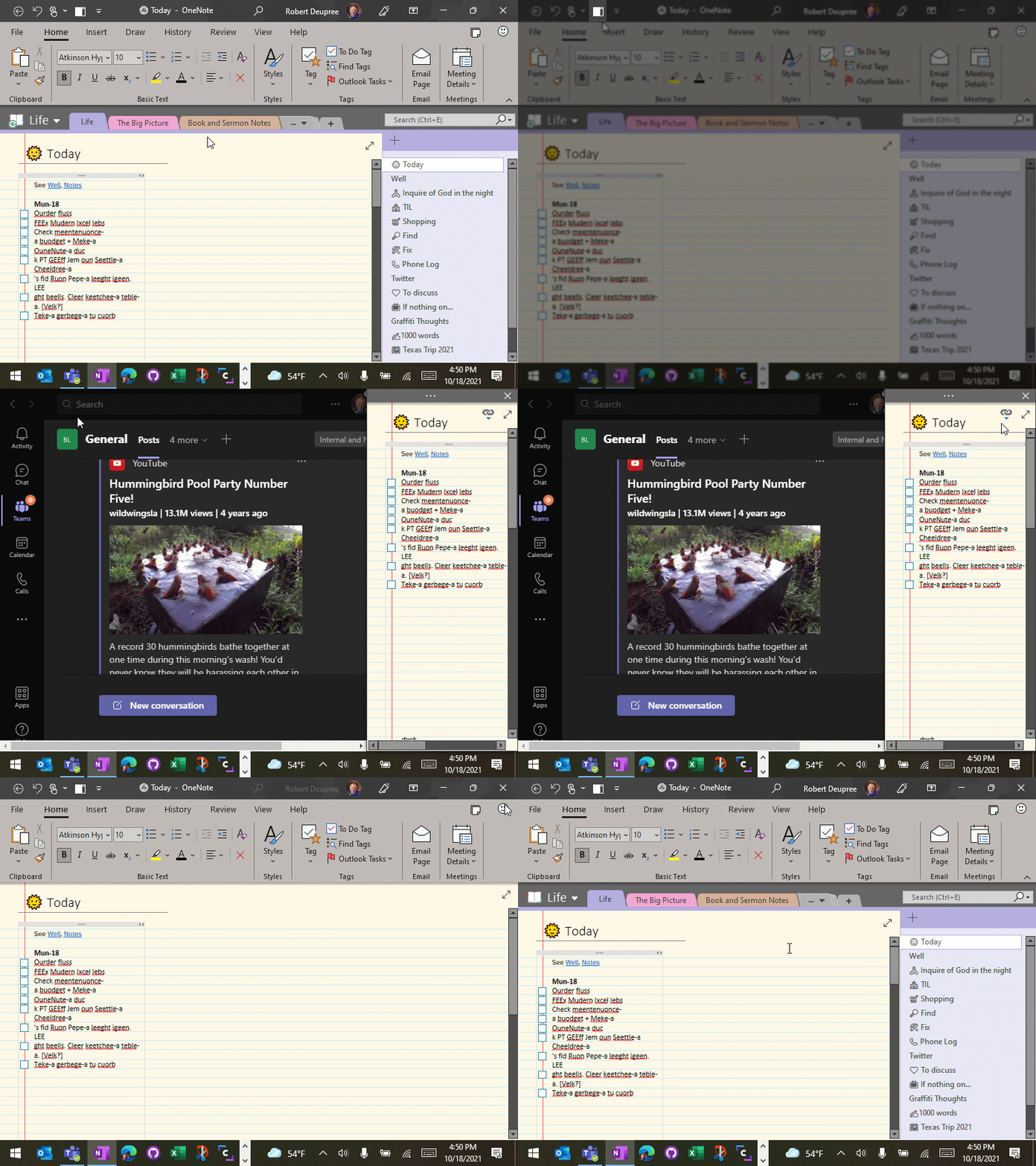
Now that the full desktop version of OneNote has made its triumphant return, here is a quick way to dock and undock your notes quickly. Why? Because you can keep a narrow but-always-visible note pane on the side that won’t interfere with other apps, even when you Maximize them. For example, it’s my favorite way… Continue reading Photo Tip #58 | Dock and undock OneNote with one click

Photo Tip #57 | Browse back to a fork in the road

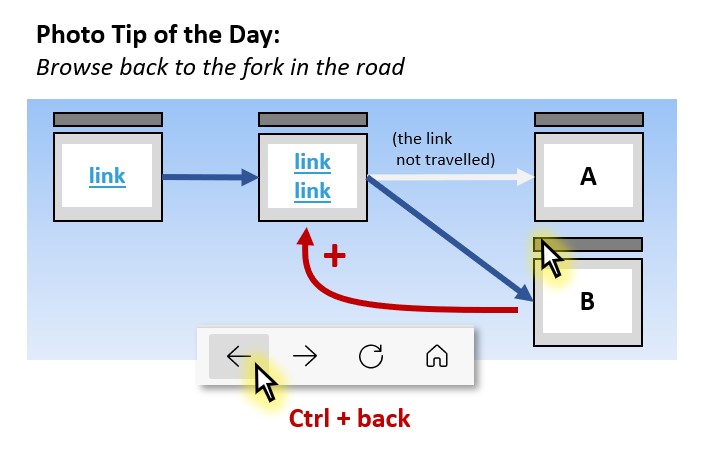
I hope that this tip is not too specific to my own needs but Ctrl + browser back button is my friend. Let’s say you're browsing along and come to a fork in the road with multiple links. Sure, you can Ctrl + click to open new tabs for each interesting link. But what if… Continue reading Photo Tip #57 | Browse back to a fork in the road

Photo Tip #56 | Start a new Word, PowerPoint, or Excel file from your browser

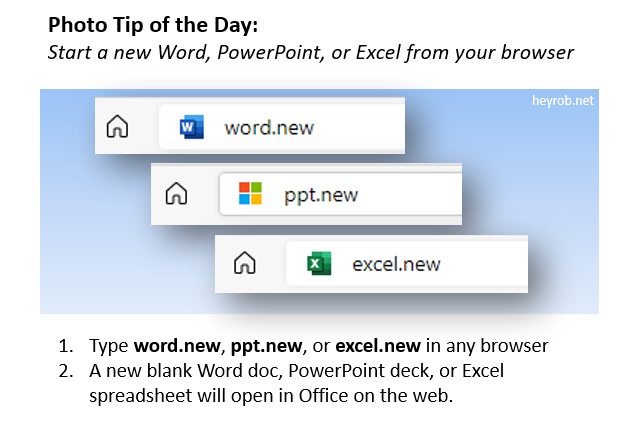
Today's tip is from Vanessa Harris. Want to open a fresh new Word, PPT, or Excel file quickly? Try typing word.new, ppt.new, or excel.new in any browser.

Photo Tip #55 | Cool ways to select text

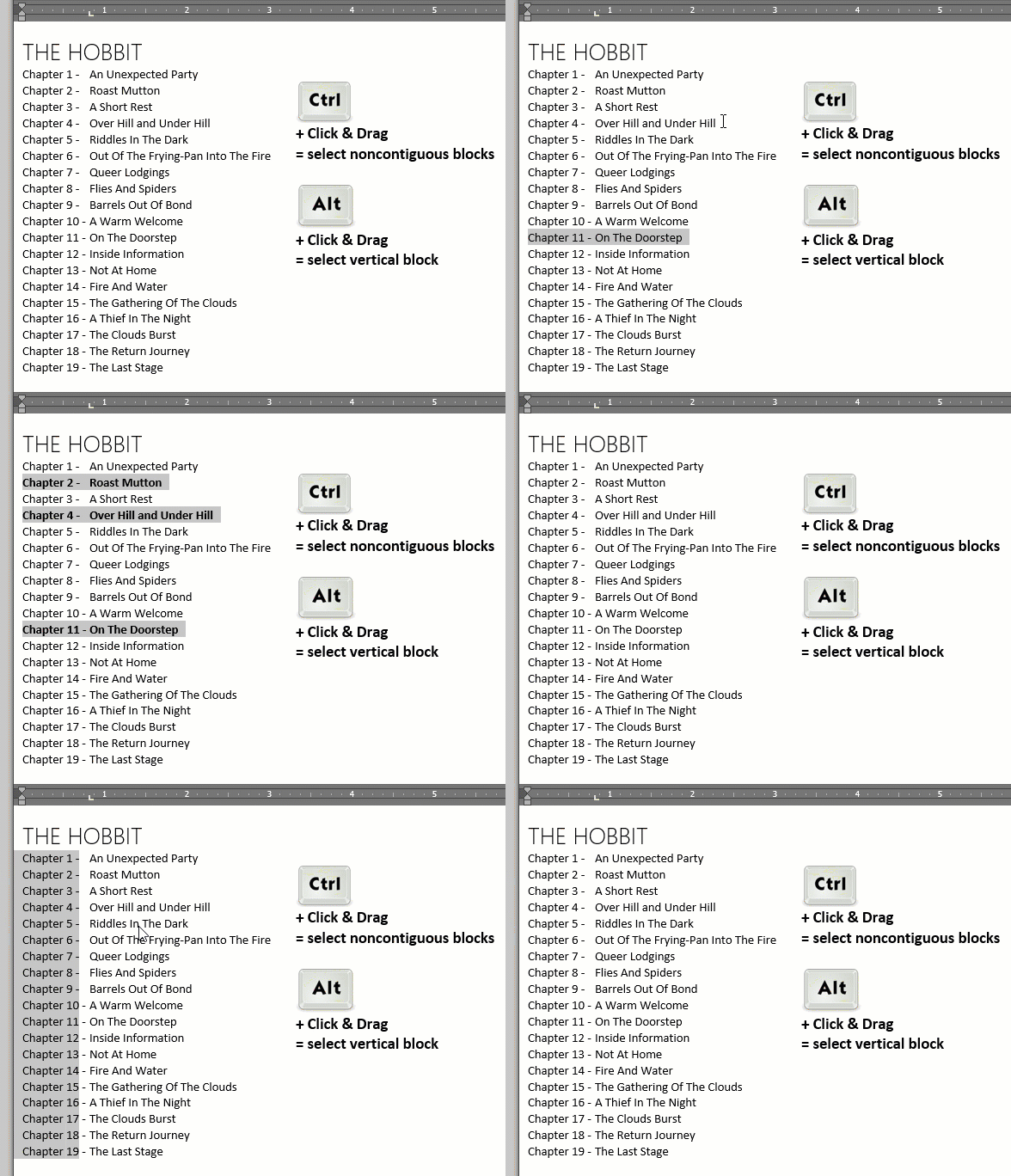
This tip is specific to Microsoft Word and Outlook. We all know how to use our mouse to click and drag a block of text. But what if you want to select blocks of text that are not connected? What if you want to select a vertical block? Simple. Try holding the Ctrl or the… Continue reading Photo Tip #55 | Cool ways to select text

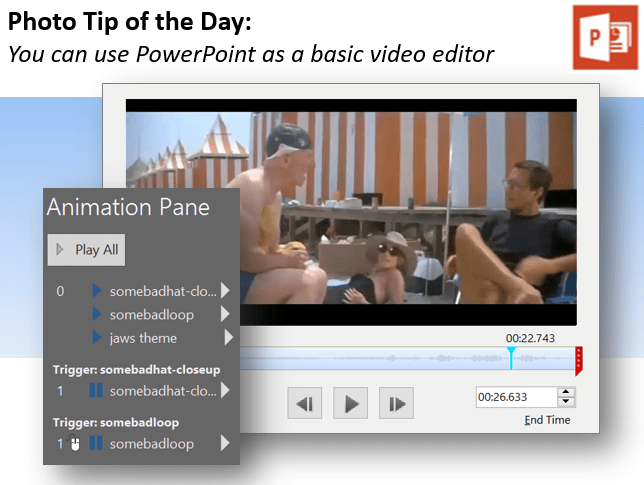
Photo Tip #54 | PowerPoint is a basic video editor

Today’s Photo Tip is a reminder that you can use PowerPoint as a basic video editor. I’m a Camtasia user but edited the following video entirely in PowerPoint. https://youtu.be/BB8Fa4h1ViQ The original PPTX file is here:Download ...and the resulting video is a pure Save As -> MP4 video output.

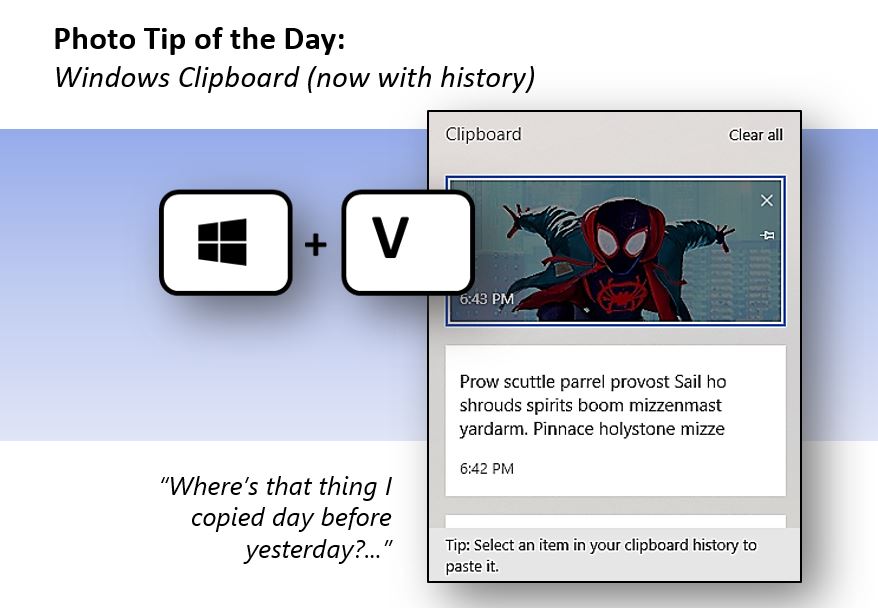
Photo Tip #35 (revisited) | Windows Clipboard – now with history

Today’s tip is from Michael Brittenham. If you are running Windows 10 or 11, you can turn on and access the history of things you’ve copied. Just type Windows key + V. Not geeky enough for you? You can also synchronize that history across all of your Windows 10 or 11 devices. UPDATE: Many tips… Continue reading Photo Tip #35 (revisited) | Windows Clipboard – now with history
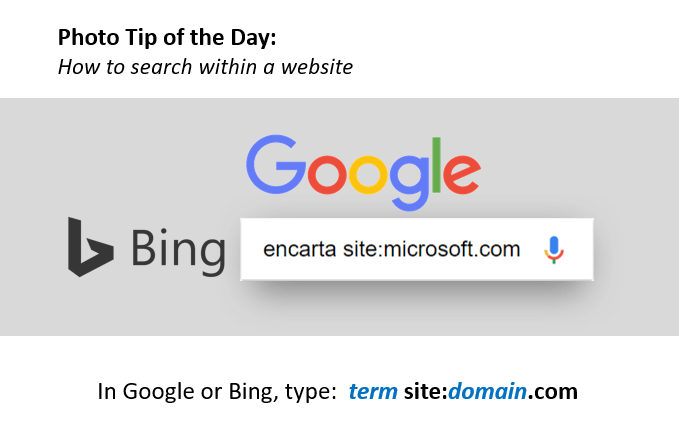
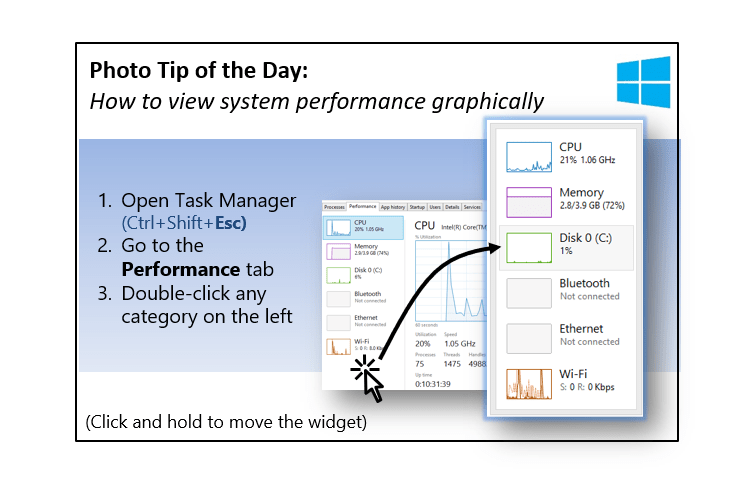
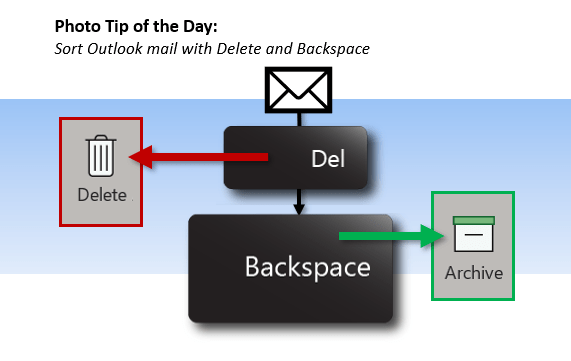
Photo Tip #47 | Sort Outlook mail with Delete and Backspace

Don’t overthink your mail sorting strategy. Most mail should be answered quickly, archived, or deleted. You know that the Delete key will delete your mail – but the nearby Backspace key will move mail to the Archive folder that you configure. Just put one finger on each key and start clearing that Inbox.

Photo Tip #46 | Quick, I need an emoji (or a kaomoji)!

Windows 10 includes an emoji (and kaomoji and symbols) tool. Just type the Windows key and period from any app. See the full list of tips on LinkedIn or heyrob.net.

Microsoft culture in 10 seconds

In 2011, Microsoft ran a microfilm contest where contestants attempted to capture our culture in a 10-second film. Most entries highlighted the many positive qualities of Microsoft life. Here's the flip side. Do other companies struggle with this? https://www.youtube.com/watch?v=jgV7K1QpS3Y

Photo Tip #45 | Real life feature requests?

I know where to file software feature requests, but where can we file real life feature requests? There must be a DL or something.

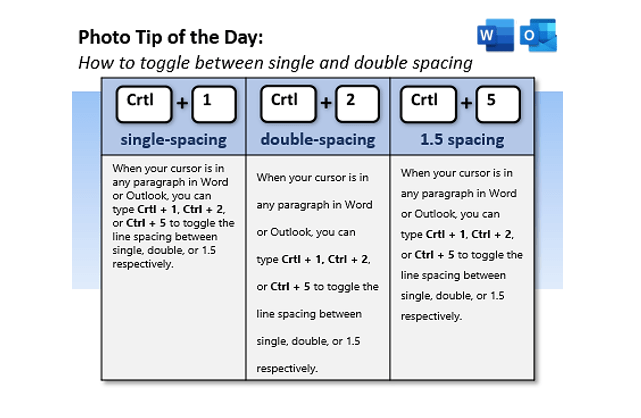
Photo Tip #44 | Change line spacing quickly

Today’s Photo Tip is a simple keyboard shortcut for changing line spacing in Outlook or Word.

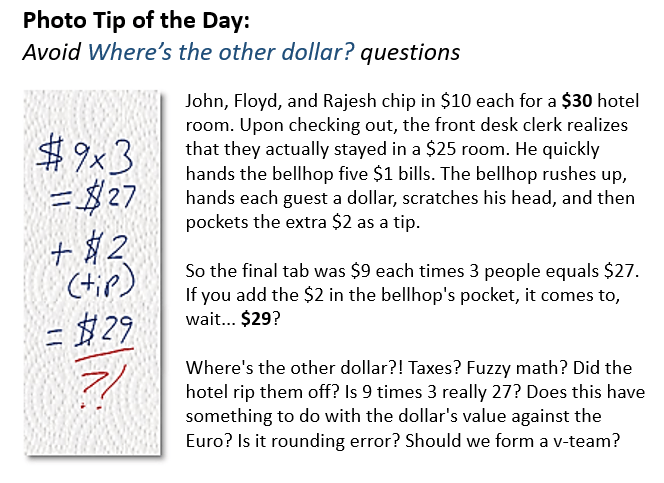
Photo Tip #42 | Avoid “Where’s the other dollar?” questions

Consider this. Most of our fire drills start when we’re chasing down the wrong question. For example: “How can we make an unnecessary process more efficient?” If you’re struggling with an emotionally-charged and apparently unsolvable question, step back and ask yourself if you’re looking for the OTHER DOLLAR.

Photo Tip #41 | Learn about visual storytelling

Some of the greatest visual storytellers on the planet have created a free course on storytelling. This Pixar course on Khan Academy is kicked off by my hero, Pete Doctor. No matter what your job, I guarantee that the ability to tell a good story (pitch, scenario, etc.) is an important part of your success.… Continue reading Photo Tip #41 | Learn about visual storytelling

Photo Tip #40 | Bad analogies are like bad analogies

...but bad visual analogies are more insidious. Variations of this 3-gear image are all over the interwebs. See the problem?

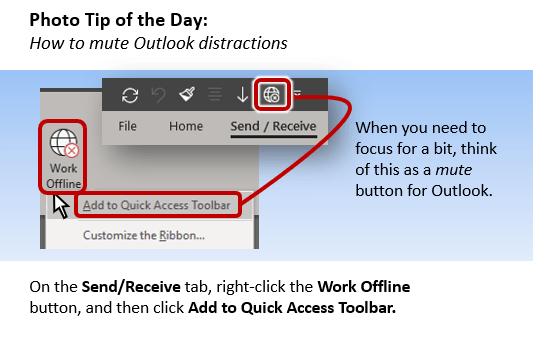
Photo Tip #39 | How to mute Outlook distractions

This one changed my work life. I used to close Outlook to focus — but then I’d need to reference an email or my calendar. So I’d open Outlook for a quick peek and… BAM, five urgent mails and the end of my focus time. This way is better. The Work Offline toggle temporarily disconnects… Continue reading Photo Tip #39 | How to mute Outlook distractions

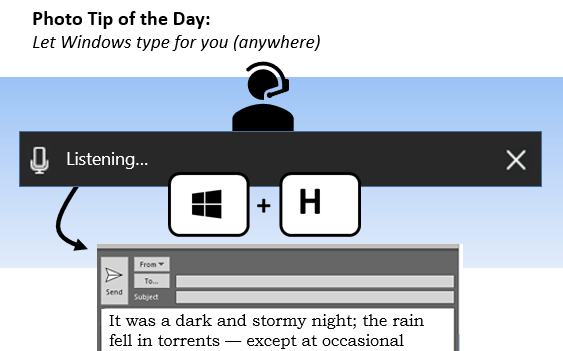
Photo Tip #38 | Let Windows type for you

So I sprained my wrist last week wrestling blue sharks in the North Atlantic — or cleaning the garage, I forget which. But anyway, the point is that it was very difficult to type. I figured out different ways to use speech-to-text in various apps, but there is one keyboard shortcut that seems to work… Continue reading Photo Tip #38 | Let Windows type for you

Photo Tip #37 | Movies are the tribal stories of our generation

As educators and communicators, it is important to remember that certain movies and movie quotes have gone beyond linguistic decorations to become part of the fabric of our language. I group movie quotes into three categories: I. Culturally iconic quotes that everyone is expected to know. These are so pervasive that many are actually misquotes… Continue reading Photo Tip #37 | Movies are the tribal stories of our generation

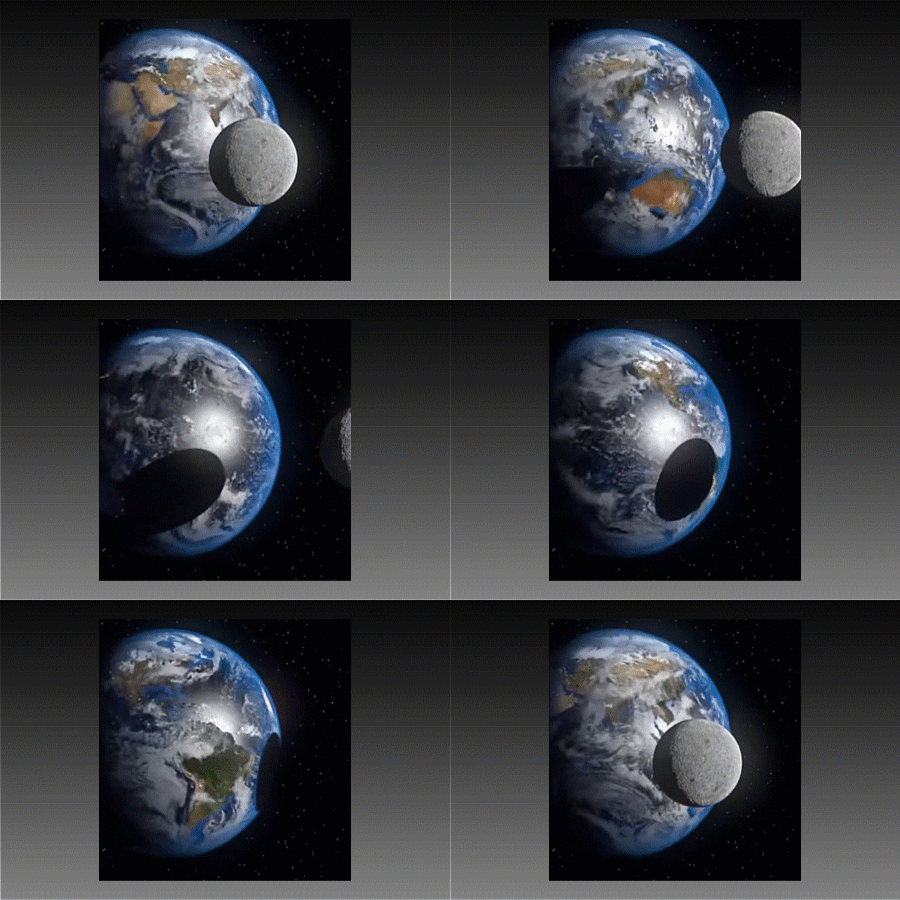
Photo Tip #36 | Visual misinformation (and a puzzle!)

My mom lives on the US east coast and I live on the west coast. When she called to tell me about an upcoming supermoon, I knew that she would see it rise three hours before me – just like she sees sunrises and sunsets three hours before me. But during the total solar eclipse,… Continue reading Photo Tip #36 | Visual misinformation (and a puzzle!)

Photo Tip #34 | Good editors are a godsend

A good editor simply makes you look better but they seldom get the recognition they deserve. (The Encarta story is true.)

Photo Tip #33 | Outlook Calendar understands you

Today's tip comes from Doug Thomas. Your Outlook calendar recognizes many non-traditional inputs. Try some.

Photo Tip # 32 | Proposal for a new word

Let’s face it – it’s tough to evangelize a buzzworthy new word like spork, selfie, bougie, bingeable, or buzzworthy, but why not try? Please sneak this word into one of your meetings today. Maybe it’ll catch on.

Photo Tip #31 | Pause for deep thought

Looking back over the years, my favorite work moments resulted when I took the time to pause, look at the big picture, and think deeply. Bill Gates famously set aside a week for such thoughts in his Think Week. I hate to admit this but most of the time I don’t pause; I just skim… Continue reading Photo Tip #31 | Pause for deep thought

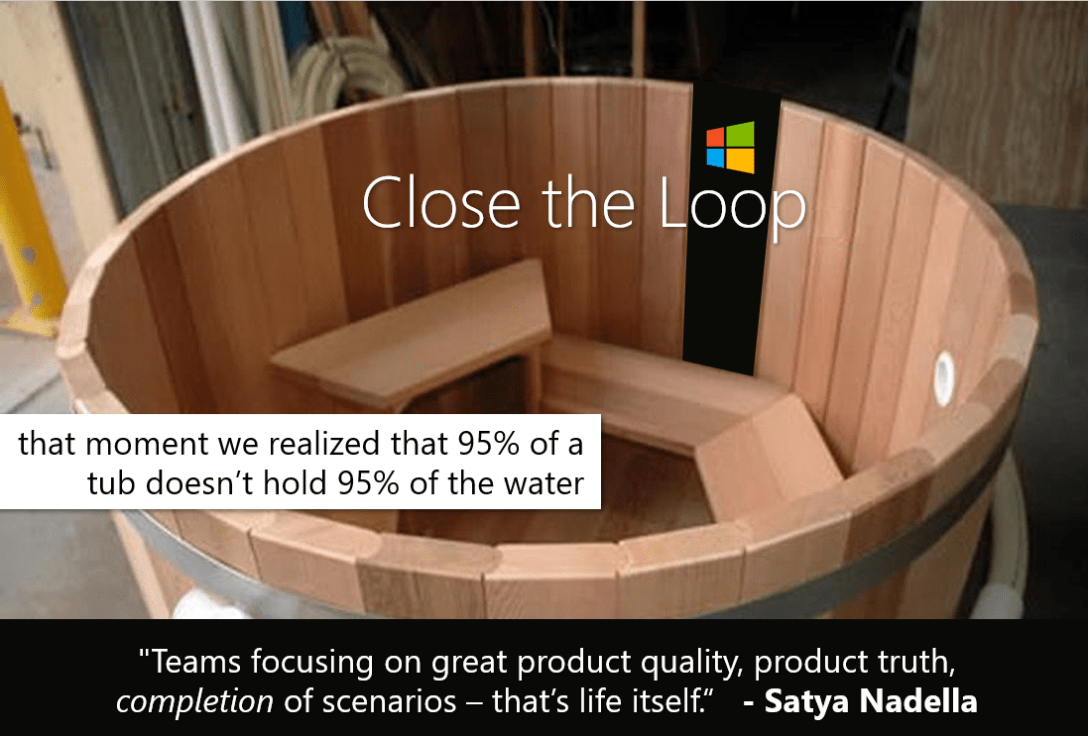
Photo Tip #30 | Close the loop

Microsoft has started a remarkable cultural transformation under Satya Nadella. For too many years, our Achilles' Heel was failing to "close the loop". We would build heaps of world-class parts, check off a box, and then rush off to build some more parts. Perhaps the greatest change is that our culture is beginning to value… Continue reading Photo Tip #30 | Close the loop

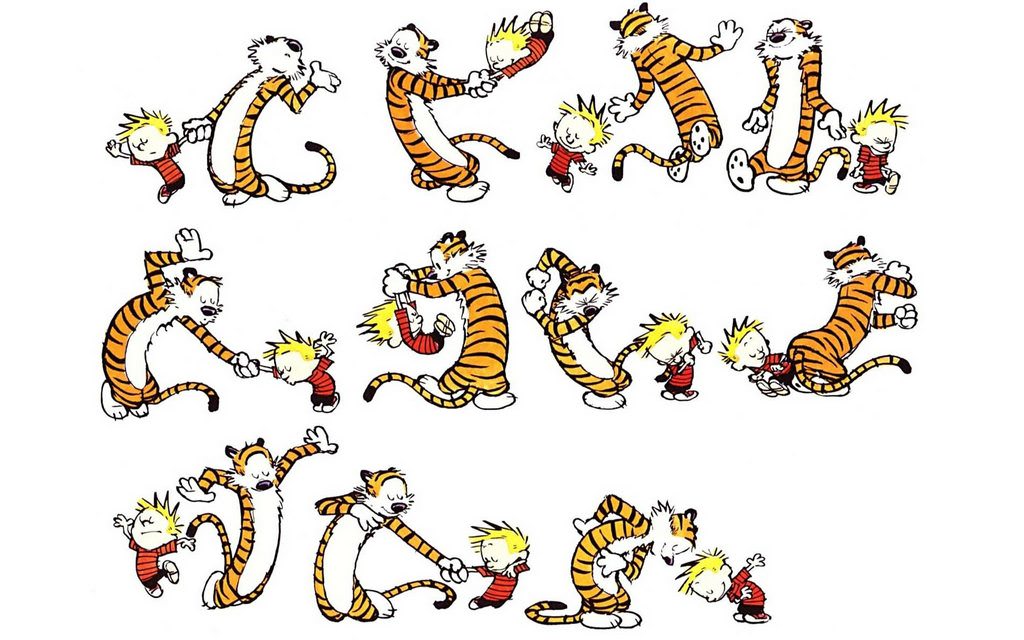
Photo Tip #29 | The epitome of your art

To me, Calvin & Hobbes is a wonderful example of taking one art form (comics) and exploring every way to reach the epitome of its elements (writing, art, and humor). For example, Bill Watterson captured the movement of his characters in a way that we can easily imagine through simple static drawings. Animator Adam Brown… Continue reading Photo Tip #29 | The epitome of your art

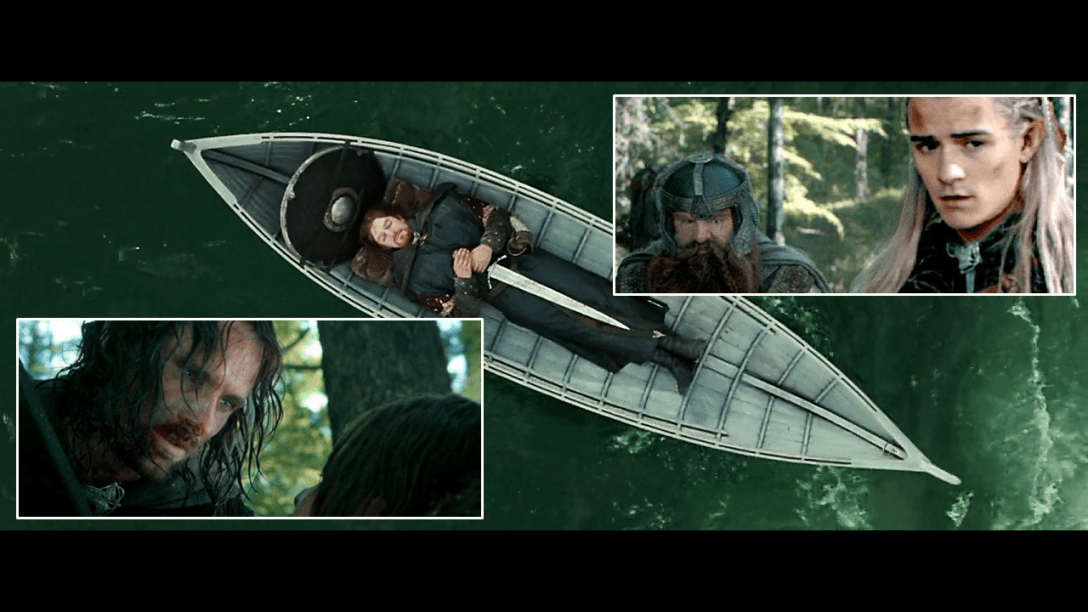
Photo Tip #27 | Technological innovations don’t arrive in the expected order

Picture yourself in a busy airport. The year is 1969. Newspapers announce that we "landed a man on the Moon and returned him safely to the Earth". Older people in the airport still remember man's first heavier-than-air flight at Kitty Hawk. Imagine that – from Orville & Wilbur to Neil & Buzz in 66 years… Continue reading Photo Tip #27 | Technological innovations don’t arrive in the expected order

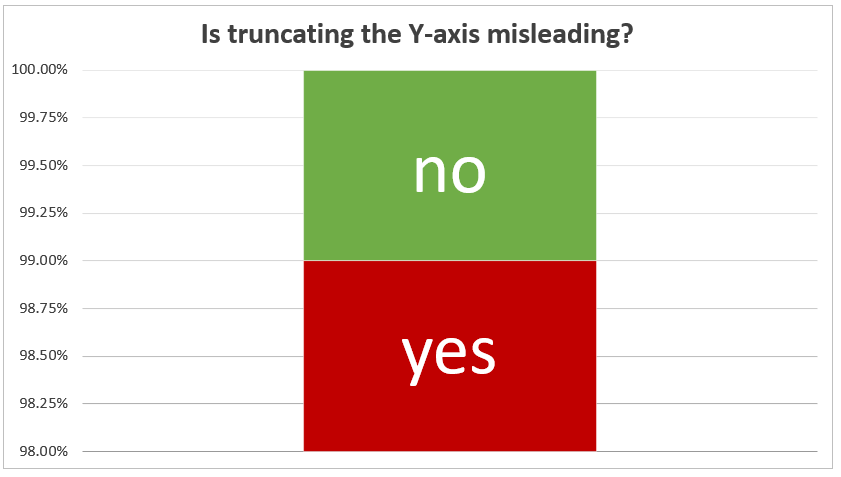
Photo Tip #26 | Stats can illuminate or obscure truth

My father was a biostatistician. He taught me that the facts never speak for themselves.

Photo Tip #25 | Don’t believe every product rumour you hear

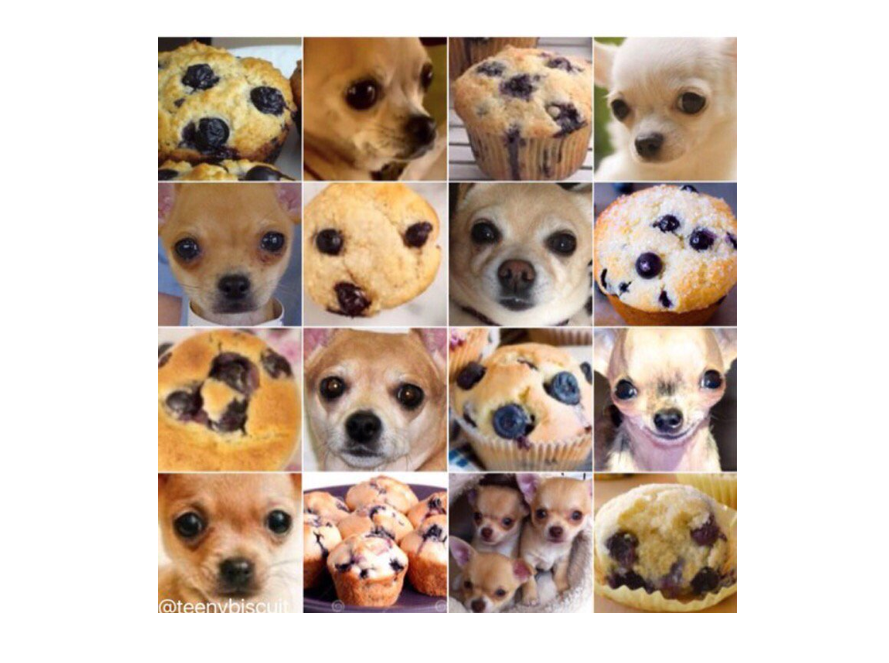
Photo Tip #24 | Don’t worry about Skynet yet

Robot apocalypse cannot happen until the machines can tell the difference between a muffin and a chihuahua. Relax, we've probably got weeks.

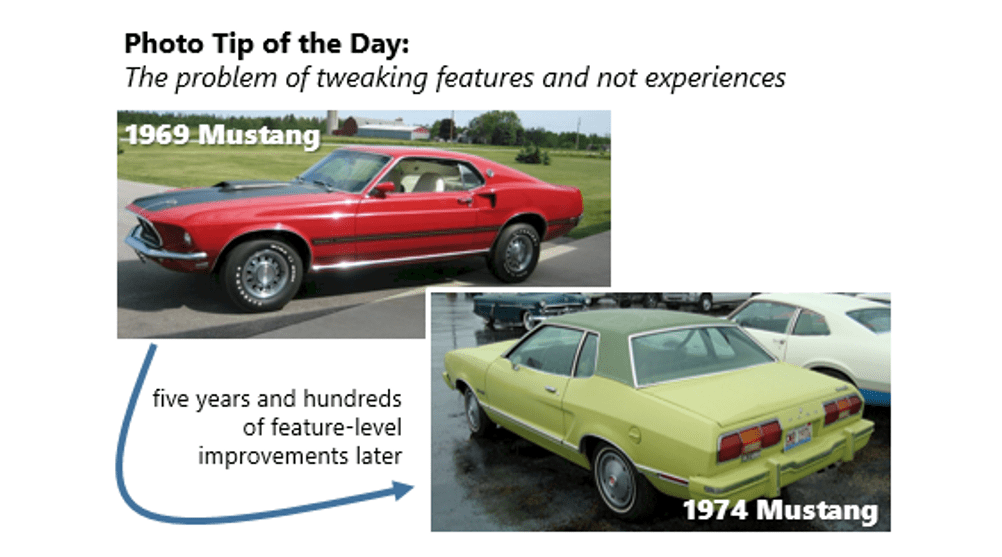
Photo Tip #23 | Don’t just fix features

When you fix something, only make changes that move your product closer to your vision of a great experience.

Photo Tip #22 | Never bury the lede

The "lede" is the opening and most important sentence or paragraph of a news article (or email or poster or story or letter). Most of us write beautiful ledes and then bury them somewhere in the second or third paragraph. For some reason, the 1967 concert poster below has always reminded me of this helpful… Continue reading Photo Tip #22 | Never bury the lede

Photo Tip #21 | Always tell the truth

Trust is a fragile thing. Say what you mean.

Photo Tip #20 | How to mine gold from stupid ideas

I made this short sample video for an informal 3-minute-or-less pitch competition at Microsoft called "Presentation Idol". It tells the story of Encarta Encyclopedia, Joshua L. Cowen, toy trains, and lighted flower pots and has helped me many many times. When smart people say something that appears stupid on the surface, look a little deeper...… Continue reading Photo Tip #20 | How to mine gold from stupid ideas

Photo Tip #19 | Anthromorphize bad ideas

Bad Idea Supervillain #1 |Bad ideas are often too slippery or abstract to fight. From now on, I’ve decided to anthropomorphize silly corporate ideas as supervillains.

Photo Tip #18 | PowerPoint is a legit image editor

Today’s Photo Tip is just a reminder. Although PowerPoint will never compete in the Photoshop space, it has many powerful features that can take you all the way from silly idea to silly image in less than five minutes (and yeah, it works for less-silly prototyping too).  For example, the following snarky movie poster only… Continue reading Photo Tip #18 | PowerPoint is a legit image editor

Photo Tip #17 | A project’s traction is as important as it’s velocity

Photo Tip #16 | How to search within a website

Know any useful search hacks? Please share. And not just the fun ones like googling “askew” but ones that help you find stuff with greater ease or precision. For example, adding “site:domain” (before or after your search terms) launches a targeted search within that website.

Photo Tip #15 | How to view system performance graphically

Have you ever wished for a nice chromeless graphical widget for checking your Windows system performance? Turns out you already have one. The Windows 10 Task Manager has a mode called "Summary View". Check it out.

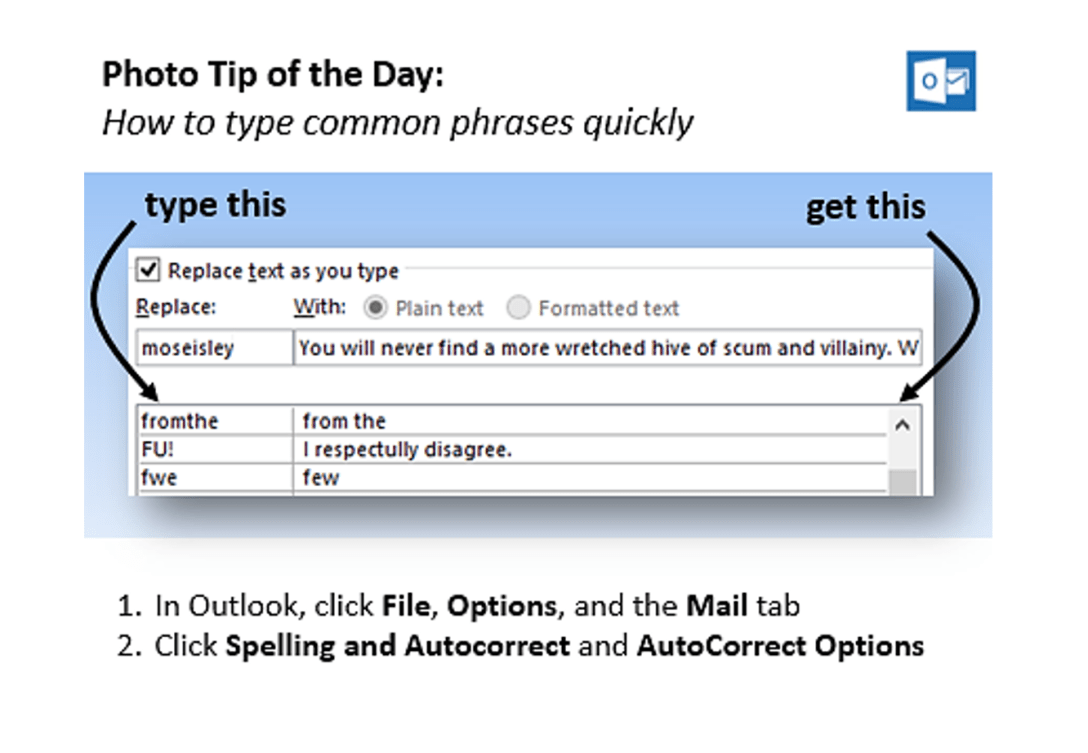
Photo Tip #14 | How to type common phrases quickly

AutoCorrect does far more than turn TEH to THE. You can tweak it so that it types out commonly-used phrases or sentences up to *255* characters (including Unicode symbols).

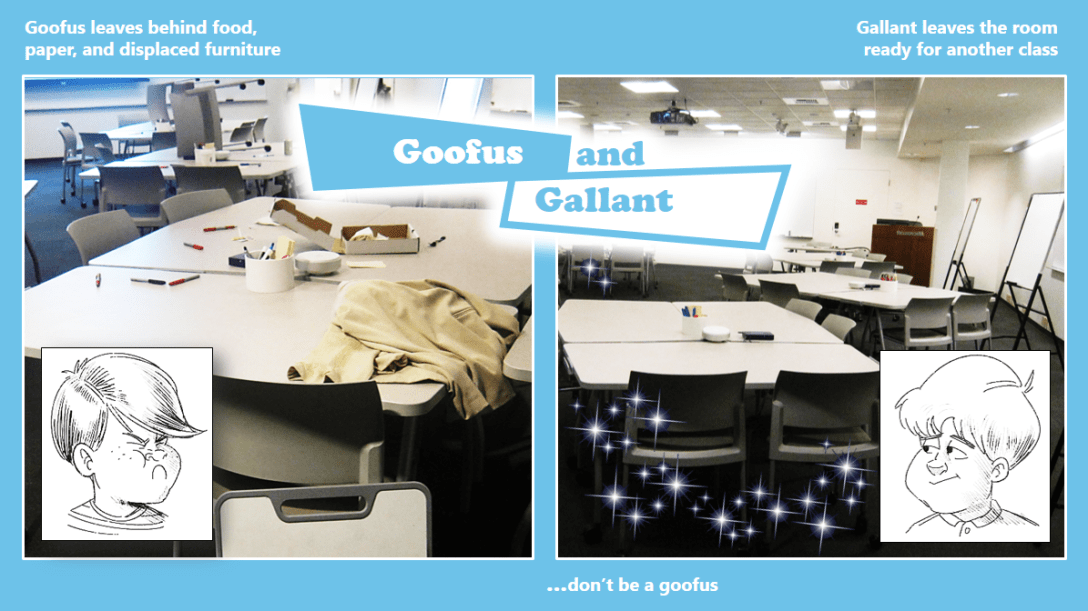
Photo Tip #13 | Don’t be a Goofus

One effective model of visual illustration comes from the old Goofus and Gallant cartoons in the children’s magazine, Highlights. The human brain loves to compare similar items and derive meaning from the delta. Before and After is a similar model. Obviously, you don’t need to use two cartoon boys for your training purposes, but I… Continue reading Photo Tip #13 | Don’t be a Goofus

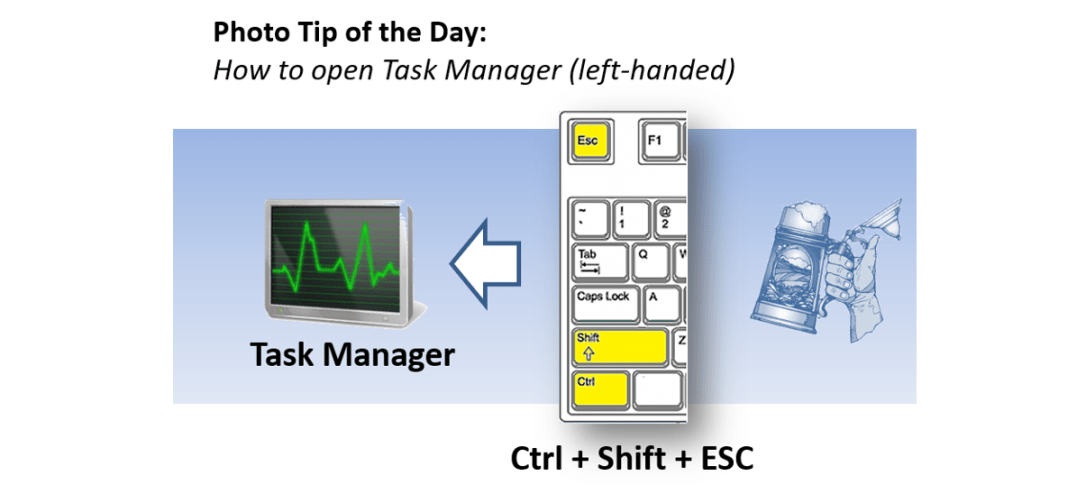
Photo Tip #12 | How to open Task Manager (left-handed)

Happens every day. You need to open Task Manager in Windows but you have a 34 oz. beer stein in your right hand. Fear not.

Photo Tip #11 | How to visualize time zones

Have you ever tried to schedule a meeting across several time zones? “Oops, sorry, I thought that was 2*pm* for you.” There are some excellent web-based tools like http://worldtimebuddy.com that allow you to line up multiple time zones and explore different meeting times.

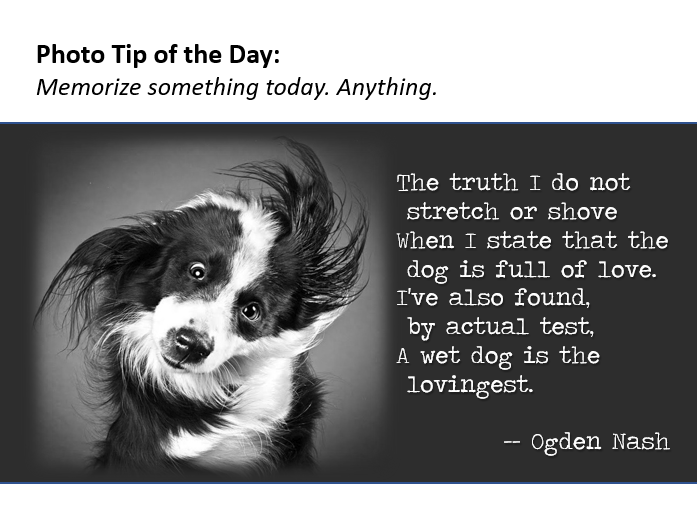
Photo Tip #10 | Memorize something today. Anything.

One of the casualties of perpetual connectivity is that we seldom bother to memorize things. Forget the stigma of ‘rote’. Memorizing good, sacred, encouraging, profound, or silly things changes and deepens the way we think. Try it. Do you agree?

Photo Tip #9 | How to copy the full path to a file on a share

In Windows, do you ever point people to files buried deep in a share’s folder labyrinth? Here is a nifty hidden feature that allows you to copy and paste the full path from File Explorer.

Photo Tip #8 | Please don’t do this

Yes, I’ve done this. You’ve done this. But now it’s reaching epidemic proportions that are clogging our communication channels and further degrading our collective signal-to-noise ratio. There’s something about the volume and urgency of long email threads that inspire us to chime in without actually reading them. As feline philosopher Hobbes once noted, “Maybe we… Continue reading Photo Tip #8 | Please don’t do this

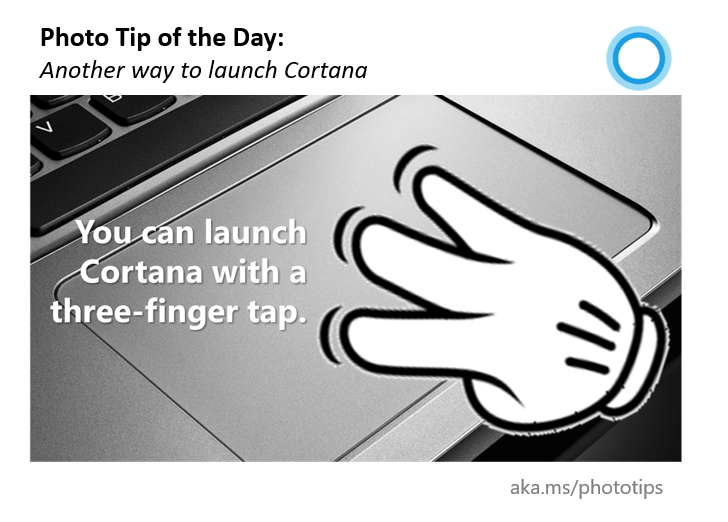
Photo Tip #7 | Another way to launch Cortana

Voice activation rocks in quiet places. Clicking the task bar or typing Win + C is soooo 2017. Are there any other ways to launch Cortana in Windows 10?

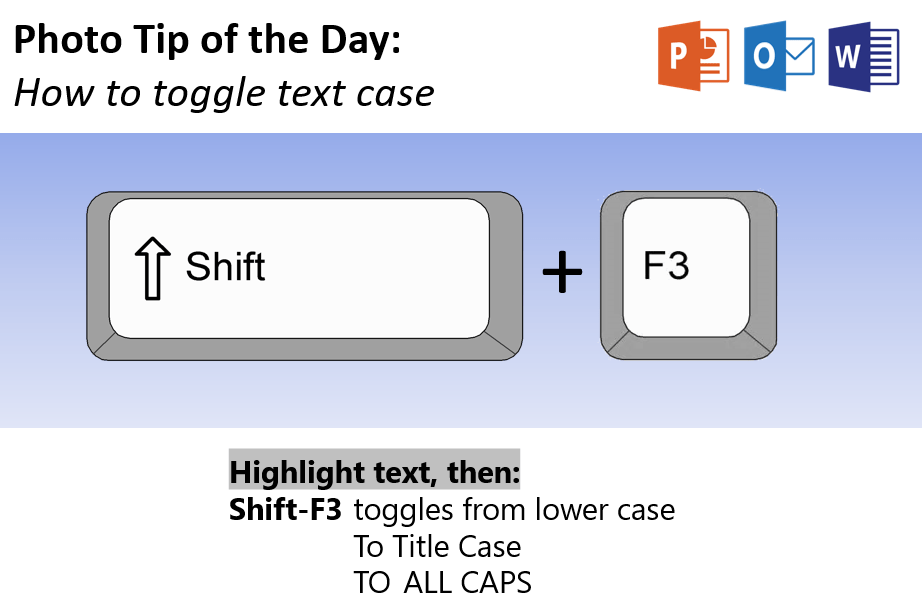
Photo Tip #6 | How to toggle text case

Have you ever retyped text that was in the wrong case (OR HAD SECOND THOUGHTS ABOUT YELLING IN MAIL)?  Don't retype! Shift+F3 on PCs (or fn+SHIFT+F3 on Macs) is a handy case toggle in Outlook, Word, and PowerPoint.

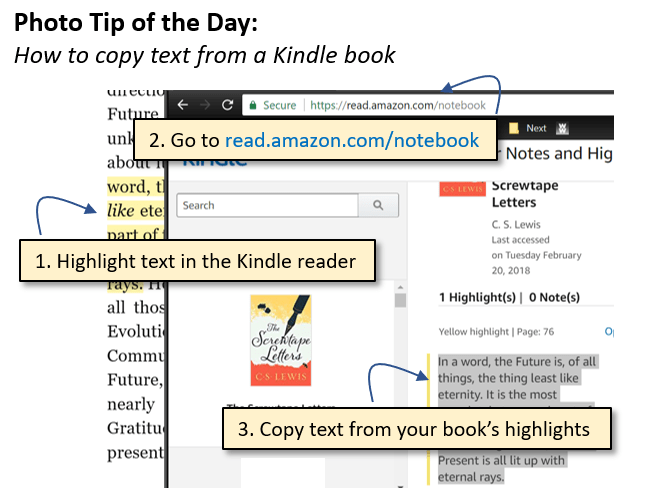
Photo Tip #5 | How to copy text from a Kindle book

Have you ever tried to copy a favorite quote from one of your Kindle books only to end up retyping the whole thing? Here is a simple and totally unintuitive workaround: Highlight text in the Kindle readerGo to https://read.amazon.com/kp/notebookCopy the text from your book’s highlights Three old books with the titles: "Kindle Reader: highlight text",… Continue reading Photo Tip #5 | How to copy text from a Kindle book

Photo Tip #3 | How to move the active window

Yay, my favorite Windows 7 shortcuts still work in Windows 10. WIN + an arrow key moves and resizes your active window. Try it.

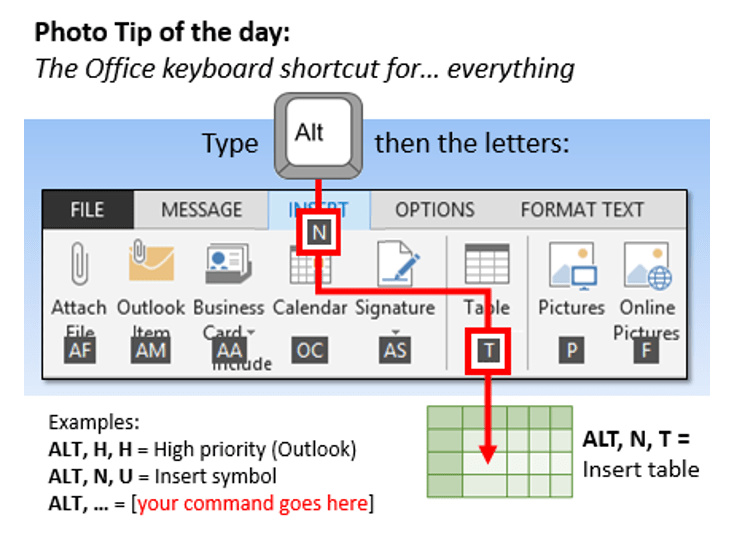
Photo Tip #2 | The Office keyboard shortcut for… everything

Today’s Photo Tip is a real-life superpower. Can you tap and release the ALT key without looking? If not, learn to. Just slide either thumb off the spacebar. Then find one keyboard shortcut for anything that you do frequently in Office. Want to insert a time stamp? Try tapping ALT (and release), N, D. Pull… Continue reading Photo Tip #2 | The Office keyboard shortcut for… everything

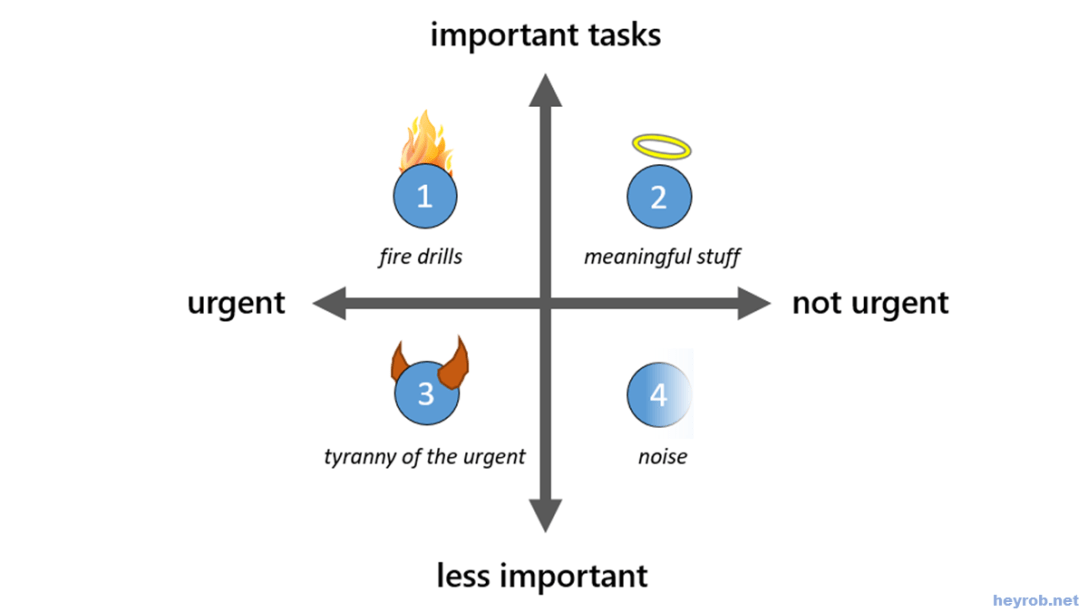
Photo Tip #1 | Fight the tyranny of the urgent

"We live in constant tension between the urgent and the important. The problem is that the important task rarely must be done today or even this week. …but the urgent tasks call for instant action – endless demands pressure every hour and day. … The momentary appeal of these tasks seems irresistible and important, and… Continue reading Photo Tip #1 | Fight the tyranny of the urgent