
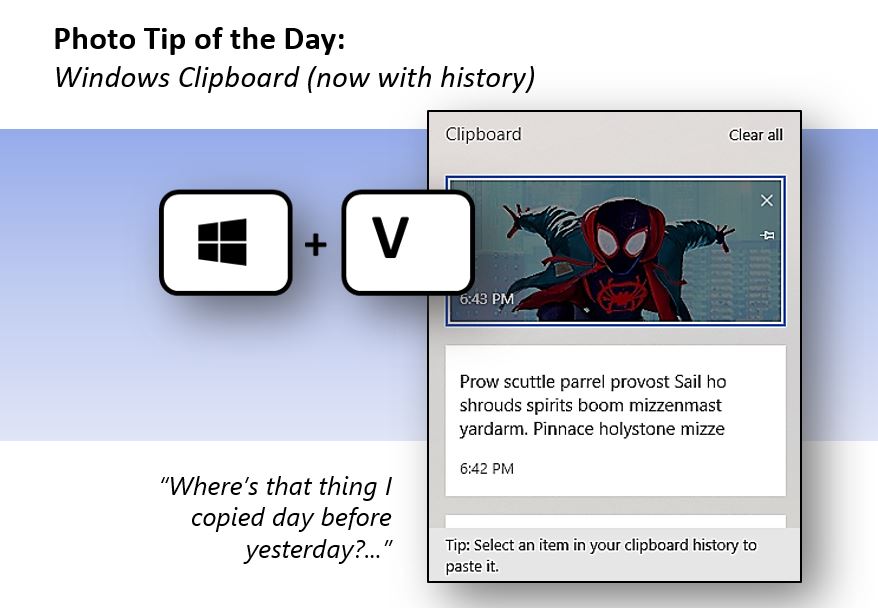
Today’s tip is from Michael Brittenham. If you are running Windows 10 or 11, you can turn on and access the history of things you’ve copied. Just type Windows key + V. Not geeky enough for you? You can also synchronize that history across all of your Windows 10 or 11 devices.
UPDATE: Many tips are helpful but there are few that I use all day, every day. This is one. Most of us don’t think twice about using Ctrl + c to Copy. We just do it. When we see someone pause to look for the Copy button, we cringe or tell them the shortcut. Ctrl + v is the same way. It’s wired into us.
But switching from Ctrl + v to Windows key + v is worth the effort. Sometimes you need to copy and paste several things – for example, a name, and URL, and a title. If the source page is handy, you can make three quick trips. If you’re working in Teams, that process may require some navigating. Now you can Copy this, Copy this, Copy that, and then go somewhere else and Paste this, Paste this, and Paste that.
Just try this for a day or two. Trust me.
 The Elements of Simple