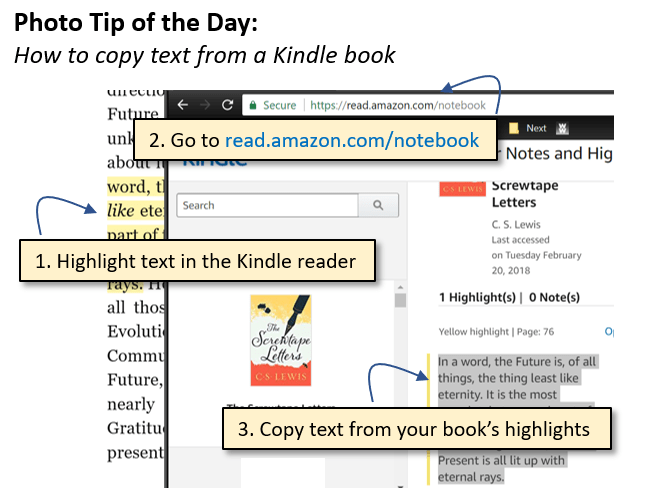
Have you ever tried to copy a favorite quote from one of your Kindle books only to end up retyping the whole thing? Here is a simple and totally unintuitive workaround:
- Highlight text in the Kindle reader
- Go to https://read.amazon.com/kp/notebook
- Copy the text from your book’s highlights

 The Elements of Simple